FormSwift closed: What’s the alternative for your documents?
Upload your FormSwift PDFs to Loio to edit, fill, and sign.
How to handle your FormSwift documents in Loio
The FormSwift PDF editor has gone, but your docs don’t have to.
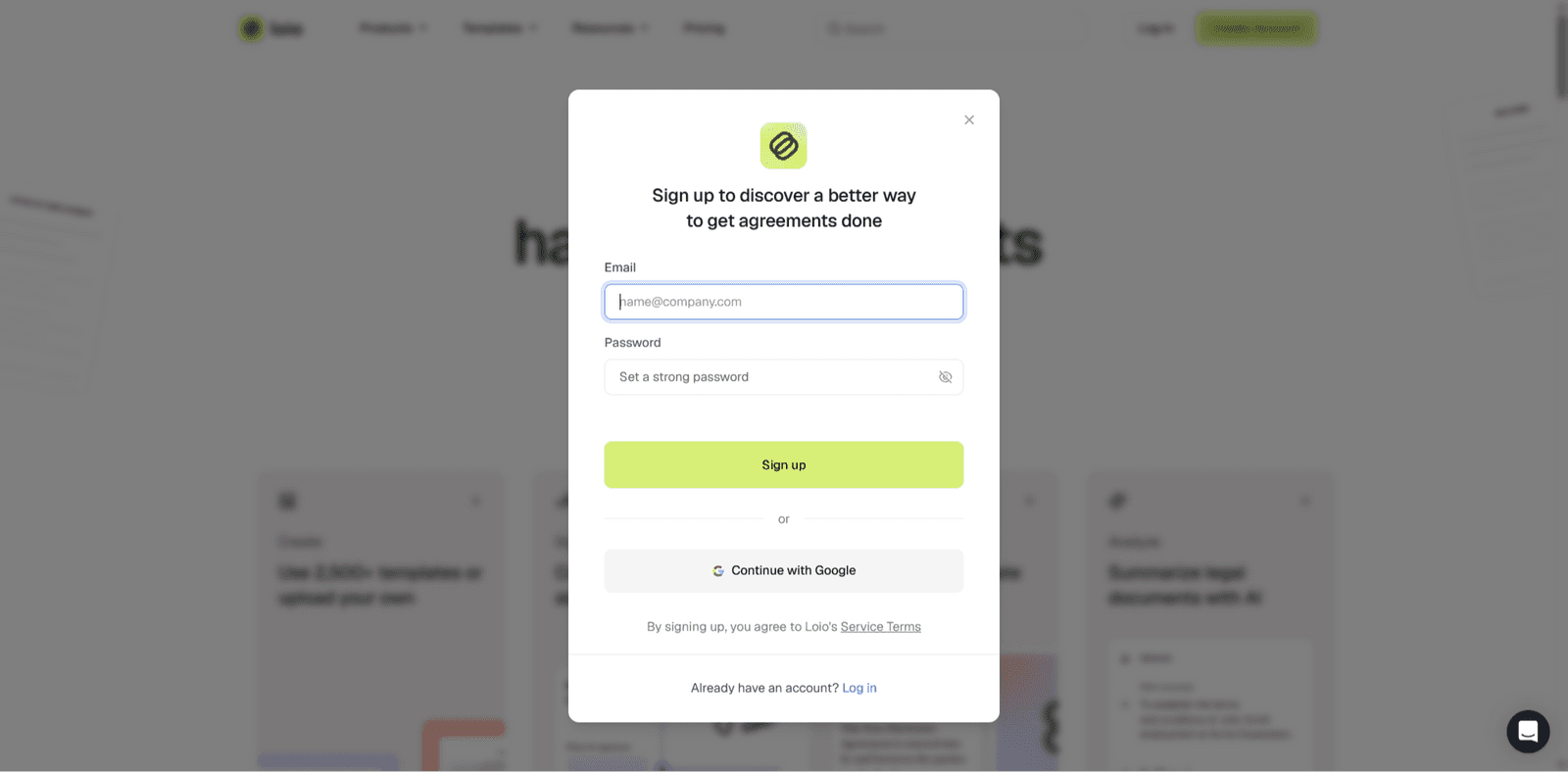
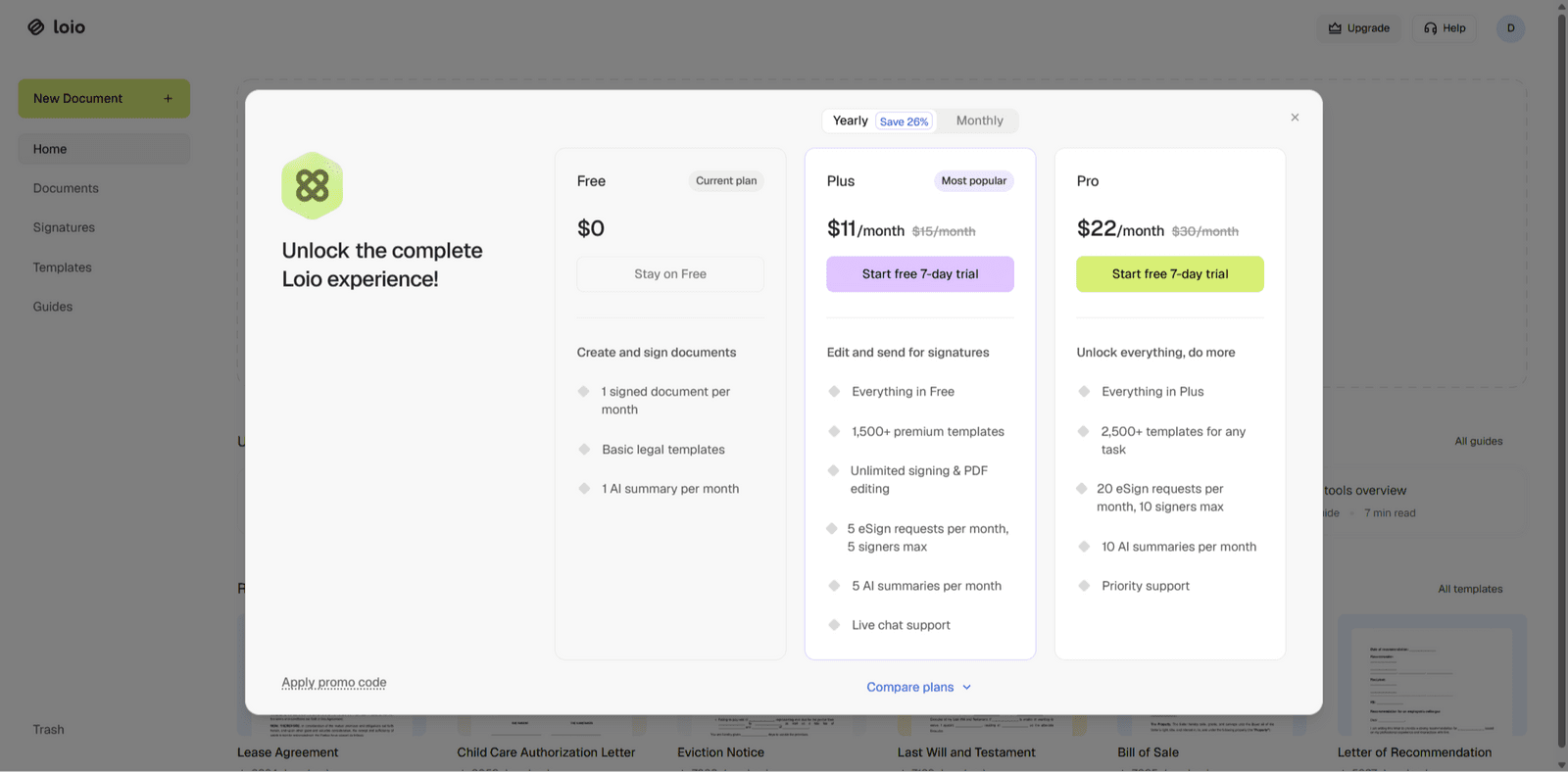
Step 1. Sign up and choose your plan
Loio Plus and Pro let you edit, fill out, sign, and send documents just like in FormSwift. Try all the features by starting a free 7-day trial.
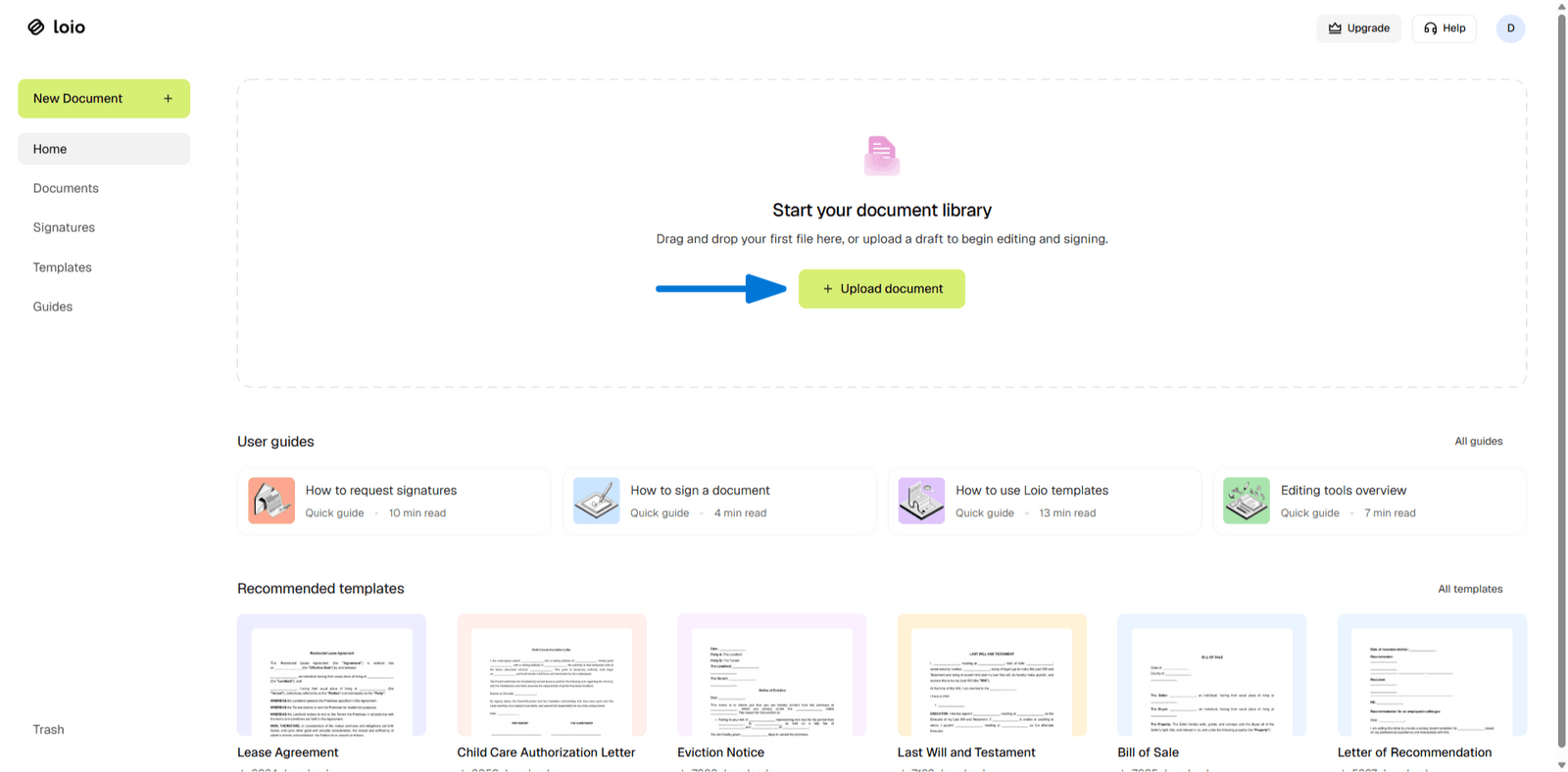
Step 2. Upload your PDF
Unzip the archive you downloaded from FormSwift, find the document you need, and upload it to Loio's editor.
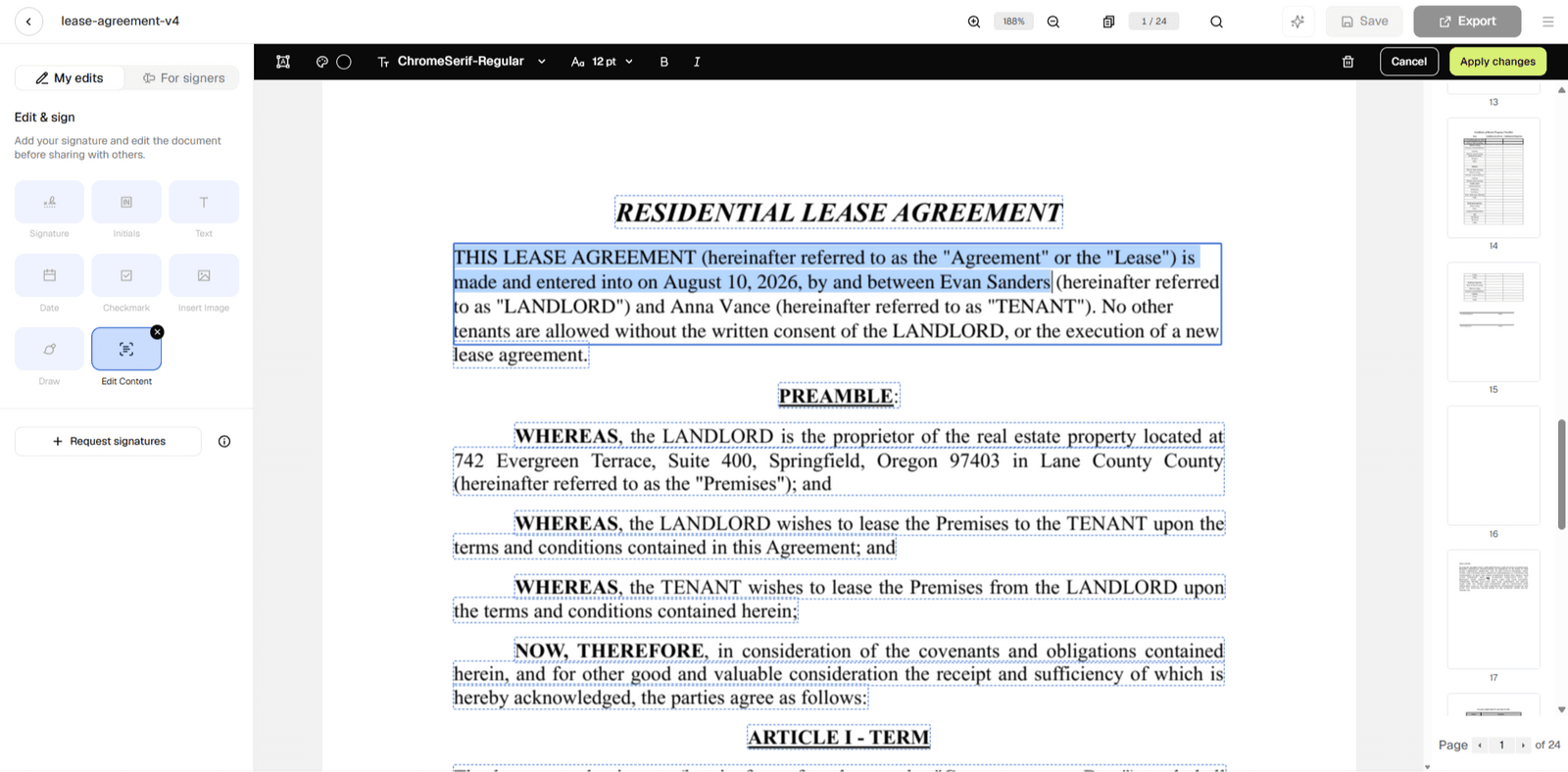
Step 3. Edit or fill out your document
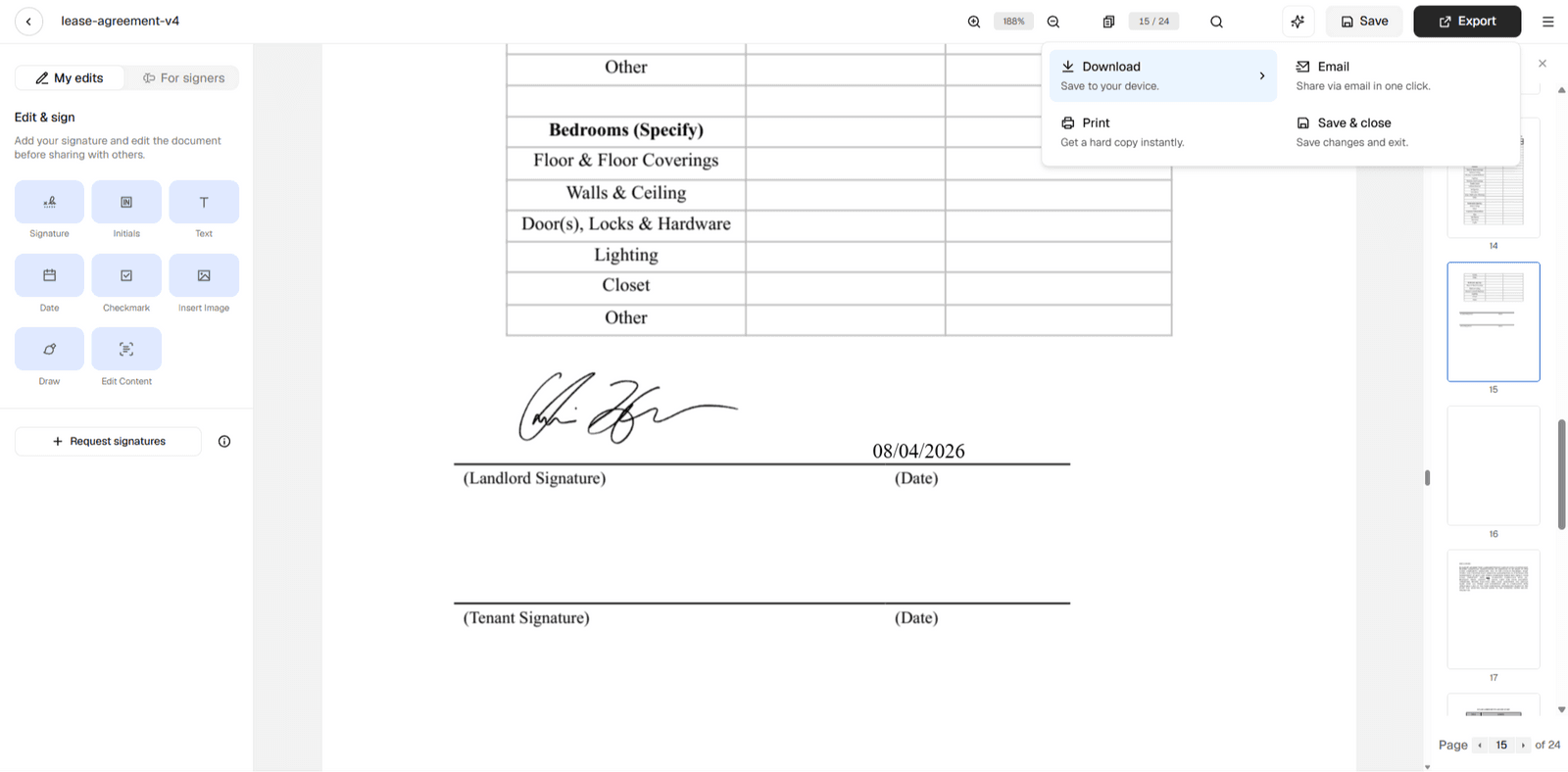
Add or change text, complete fields, adjust fonts — whatever your document needs.
Step 4. Date, sign, and save
Add a date and your signature, then export the finished PDF, or save it in your workspace.

Keep your FormSwift documents alive
Need a new home for your PDFs and forms?
Loio might just be the best FormSwift alternative. Here’s what you need to know.

Need a new home for your PDFs and forms?
Loio might just be the best FormSwift alternative. Here’s what you need to know.
Supported features
Open, review, and edit all documents exported from FormSwift.
Add, remove, or change text in PDFs created from templates like:
FormSwift lease agreement
FormSwift last will and testament
FormSwift power of attorney
FormSwift living will and others
Complete fillable fields in tax forms like FormSwift 1099, W-9, etc.
Redline changes, draw on PDFs, insert images.
Sign documents and collect signatures.
Store files securely in your workspace.
Access Loio’s vast template library.
Currently not supported
Auto-migrate your FormSwift accounts.
Carry over your FormSwift document history and template libraries.
Import FormSwift documents in bulk.
FAQ
Was FormSwift closed?
Yes. FormSwift was officially shut down on September 30, 2026. Paid users could export their PDFs before that date to move them to another platform.
What is the alternative to FormSwift?
If you’re looking for the best FormSwift alternative, give Loio a try. It lets you upload, edit, fill, and sign PDFs. So, if you've exported your FormSwift documents, you can continue your work there. Just start your free trial and see if Loio covers what you need.
I haven’t exported any documents. Where can I find templates like the ones by FormSwift?
Similar to FormSwift, Loio offers a library of lawyer-vetted templates for business and personal matters. Pick the one you need, answer a few guided questions to fill it out, then tweak the finished document in the editor.
Continue working with your FormSwift documents
Didn't export your files before FormSwift closed on September 30? You can still start fresh with one of Loio's templates and customize it to your needs.