IRS W9 Form

4.9 (84 reviews)
All states
Updated Apr 15, 2025
~ 6 pages
PDF
12.8K downloads
A W-9 Form is a federal tax document between a contractor or freelancer and a payer providing taxpayer identification information. It is used to report earnings to the IRS and ensure proper tax documentation for non-employees.
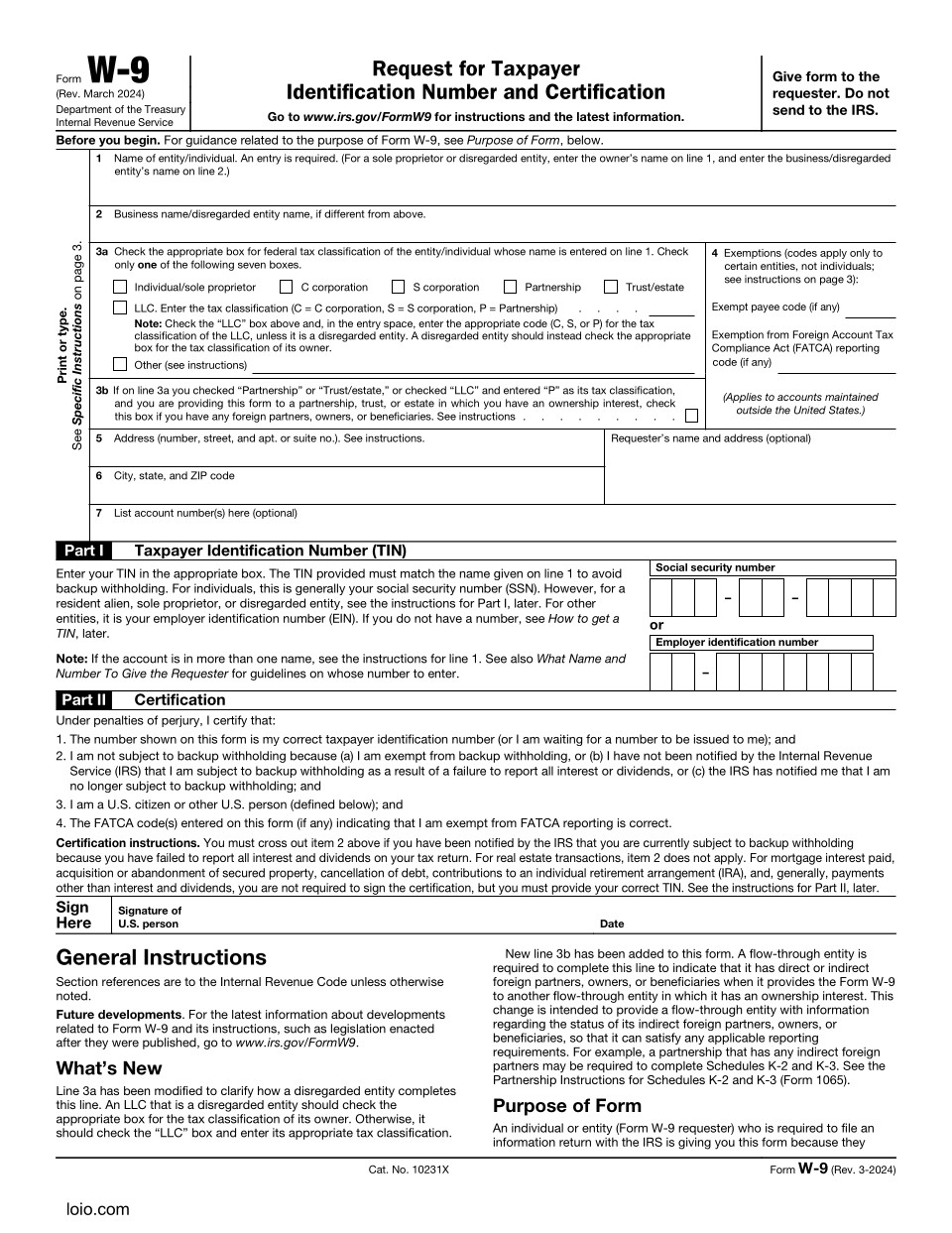
IRS W9 Form Page 1
Preview
Reviewed by Kate Adkham

Template Description

Copy section link
Paper titled "IRS Form W9"; graphics, pie chart, woman talking to a man with a folder in her hands

The W9 form IRS is officially called the "Request for Taxpayer Identification Number and Certification." With its help, people and organizations that have paid you get your correct taxpayer information so that they can properly file the necessary papers for the IRS.

The IRS form W9 does not involve paying taxes directly. It only helps businesses file the necessary tax documents later.

When To Use an IRS W9 Form

Copy section link

Common situations:

  • You're an independent contractor or freelancer;
  • You receive rental income, royalties, or dividends;
  • You are part of a partnership or LLC that gets paid;
  • A financial institution is requesting the IRS form W9 PDF for mortgage interest or investment income;
  • You're a vendor, supplier, or consultant for a business.

When not to use an IRS W9 form

  • If you're an employee and your only income is a salary;
  • If you are not registered in the U.S.;
  • If the individual or company that pays you is not legally required to report your payment to the IRS.

How To Fill In an IRS W9 Form Template: Step-by-Step Guide

Copy section link

Completing an IRS W9 online form available at Loio is simple and only takes a few minutes. Here’s how to do it:

Step 1: Provide your full name

  • Write your legal name exactly as it appears on your tax return;
  • If you have a business name, enter it in Section 2. If not, leave it blank.
Example:

Legal name: Susan Taylor 

Business name: ST Freelance Writing

Step 2: Select your tax classification

Part of the IRS W9 form sample
  • Tick the box that best describes your position.

Step 4: Add exemptions (optional)

W9 form IRS example
  • You can skip this section unless the IRS has told you to put an exemption code here.

Step 5: Provide your address

Part of a IRS form W9 PDF sample
  • Write your full address (street, city, state, zip code). This is where your tax documents will be mailed.
Example:

675 Pine Avenue 

Boise, Idaho, 83702

Step 5: Add your taxpayer identification number

Part of IRS W9 online form example
  • If you’re an individual or sole proprietor, use your Social Security Number (SSN);
  • If you’re a business or a company, write your Employer Identification Number (EIN).
Example:

SSN: 123-45-6789

Step 6: Sign the form

Example of W9 form IRS free
  • Put your signature with Loio Sign;
  • Write the date.
  • Once you have completed the IRS W9 form download the file. 

Keep a copy of a printable IRS form W9 for your records.

Always double-check your information for accuracy to avoid issues with the IRS.

If you are unsure whether you need an IRS W9 form printable or digital, or have complicated tax circumstances, contact a legal professional.

IRS W9 Form Preview