Free template
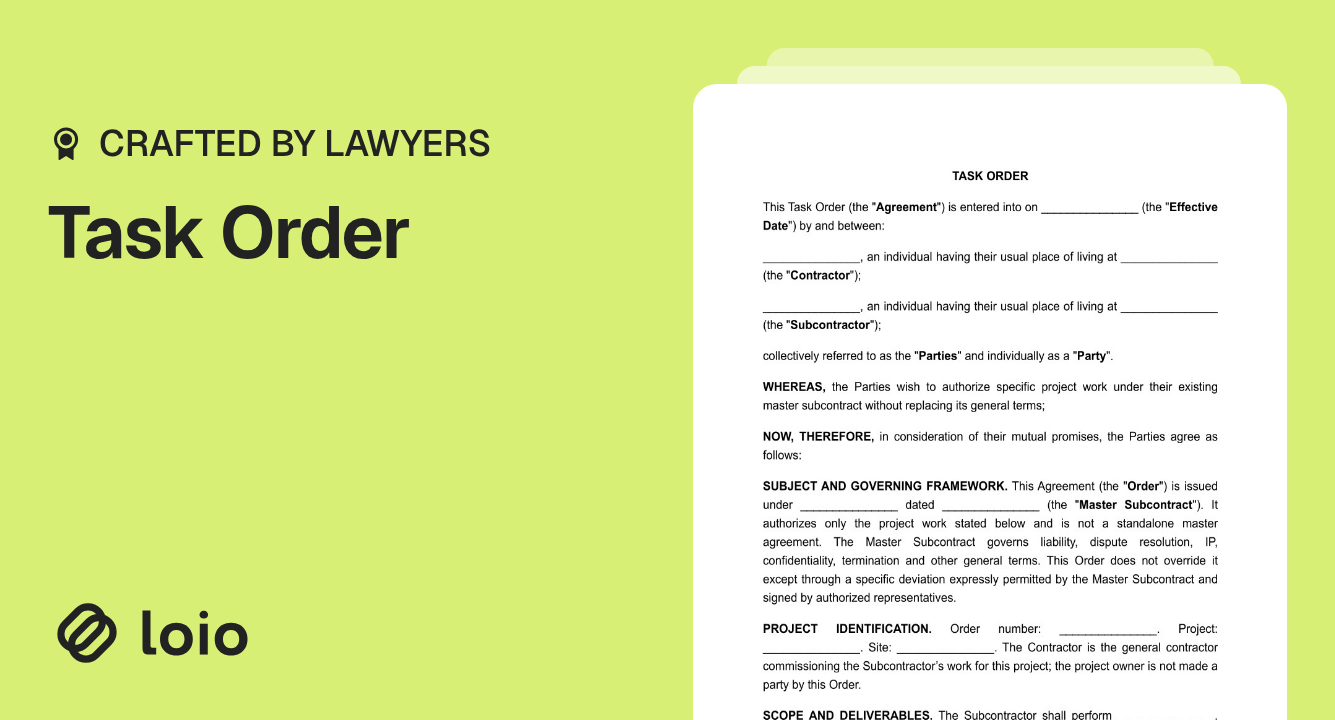
Free Task Order Template

You've worked with the same subcontractor before. The master subcontract is signed, and another project is ready to start. Do you really need to negotiate a new subcontract?
Usually, no. A task order template lets the general contractor authorize the next job while keeping existing contract terms in place. For the subcontractor, it provides written confirmation of the work, price, and dates before mobilization (bringing workers and equipment to the site).
What Is a Task Order?
Copy section linkA task order is a project-specific agreement between a general contractor and a subcontractor working under an existing master subcontract. It authorizes defined construction work without renegotiating their general contract terms.
The master establishes the standing rules: liability, dispute resolution, confidentiality, intellectual property, termination, and other obligations. Each order identifies what the subcontractor will do, when it must be completed, and how it will be paid.
This two-level approach is established industry practice. ConsensusDocs 755 Master Subcontract works with ConsensusDocs 756 Project Work Order to cover repeat construction work across projects, phases, and owners.
When should you use this document?
| Situation | Best approach |
|---|---|
| A new project or phase under an active master subcontract | Use this template |
| Project terms must differ from the master | Follow its deviation procedure or amend the master first |
| No master subcontract exists | Sign an appropriate subcontract agreement |
| Another package needs releasing under an existing project subcontract | Use a work order as the contract requires |
| Previously authorized work needs changing | Follow the master's change order procedure |
| A federal agency issues work under an IDIQ contract | Follow the applicable government ordering process |
Terminology varies between construction firms. Check the document's function and your existing subcontract rather than relying on its title alone.
Federal orders under indefinite-delivery/indefinite-quantity (IDIQ) contracts follow separate rules, including FAR 16.505.
Signing a master subcontract doesn't automatically authorize work at every future site. Each project needs the required authorization identifying its scope, price, and dates.
What to Check Before Signing a Task Order Agreement
Copy section linkBefore preparing an order, locate the signed master subcontract and confirm that it remains effective.
Check its provisions on:
Authorized signers and changes.
Payment procedures and retainage (money withheld until specified conditions are met).
Insurance and bonding.
Project documents and conflicting terms.
Claims, notice deadlines, and termination.
The new order doesn't automatically override the master subcontract. The template permits a deviation only when the master allows it and authorized representatives sign the change.
Who should sign?
Both the Contractor (general contractor) and Subcontractor must sign.
For individuals, enter their legal names and residential addresses. For companies, provide their legal business names, formation jurisdictions, registered addresses, and representatives' names and titles.
Confirm each representative's authority. A superintendent may coordinate daily work without having authority to approve additional costs or sign contractual changes.
The project owner isn't a party and doesn't sign merely because the project belongs to them.
Check worker classification before issuing the order, not after an audit. Under the Illinois Employee Classification Act, 820 ILCS 185, individuals performing construction services are generally presumed employees unless the statutory requirements for independent status are met.
The main test requires freedom from control, services outside the contractor's usual course, and an independently established trade, occupation, profession, or business. The Act also provides an alternative for qualifying sole proprietors and partnerships. It applies at every subcontracting tier, and forming an LLC alone doesn't eliminate misclassification risk.
How to Fill Out a Task Order Form Template
Copy section linkA complete task order format should identify the parties, master subcontract, project, scope, completion criteria, schedule, price, payment arrangements, applicable requirements, and signatures.
Follow these steps using Loio's guided interview.
Step 1. Identify the parties and master subcontract
Enter the Effective Date and select whether each party is an individual or a company. Complete the corresponding identification fields.
Then enter the exact title or number and date of the Master Subcontract.
Check the reference carefully. If the parties signed a replacement master or earlier amendments, make sure the order identifies the agreement currently governing their work.
Step 2. Identify the project
Complete three fields under PROJECT IDENTIFICATION:
Order number: A unique identifier, such as TO-2026-014.
Project: The agreed project name.
Site: Where the work will take place.
Use the same order number on invoices, payment applications, and change records. This helps trace charges when several projects operate under one master.
Step 3. Describe the scope, deliverables, and exclusions
Three fields under SCOPE AND DELIVERABLES answer different questions.
| Field | Example |
|---|---|
| Scope | Install 18 ceiling light fixtures in Building B |
| Required deliverables | Installed fixtures and an electrical test report |
| Completion criteria | Fixtures pass functional testing and specified punch-list items are closed |
Completion criteria should be measurable. "Finish electrical work" leaves more room for disagreement than a specified inspection, test, or deliverable.
Use the optional EXCLUDED WORK section when responsibilities might overlap. For example, specify that ceiling repairs belong to another trade or the owner will supply certain fixtures.
For complex technical requirements, a separate Statement of Work may help, provided it's properly incorporated under the master subcontract.
Step 4. Set the schedule and dependencies
Enter the Scheduled start, Required completion, and Milestones and coordination requirements.
Don't record dates without considering what must happen first.
For example, an electrical subcontractor may need another trade to finish framing before installation begins. Record that dependency and any site-access or permit requirements.
The template preserves the master's delay and schedule-adjustment rules. A start date doesn't eliminate required permits, safety measures, or access conditions.
Step 5. Choose the price and billing arrangement
The PRICE section offers two alternatives.
Fixed sum: Use this when the scope is sufficiently defined. The subcontractor agrees to complete the included work for a stated amount, subject to approved changes.
For example, the parties agree on $24,000 for specified electrical installation work. Unexpected costs don't automatically increase that price.
Time and materials (T&M): Choose this when quantities or labor needs are difficult to predict. Enter:
Labor rates: Applicable rates and billing units.
Material Costs: How materials are charged, such as supplier invoice cost plus an agreed markup.
Maximum authorized amount: The total not-to-exceed limit.
The template requires actual records to support charges. Agree which records count, such as daily labor tickets, supplier invoices, or delivery slips. Specify material-related records in Material Costs and the documentation required with each bill in Payment Schedule.
Suppose labor costs $75 per hour, materials are billed at supplier cost plus 10%, and the cap is $18,000.
The cap limits authorized spending; it isn't guaranteed payment. The template requires timely notice before reaching it. The Maximum authorized amount field records the cap itself, not a separate notice deadline.
To avoid ambiguity, add a clear warning threshold in Milestones and coordination, such as:
"Subcontractor must notify Contractor in writing when cumulative charges reach 80% of the authorized maximum."
Confirm that this arrangement follows the master subcontract.
Under PAYMENT, specify monthly, milestone-based, or completion-based billing.
Each invoice or payment application should reference the master, order number, work performed, approved changes, and required supporting records.
The order doesn't introduce a new pay-if-paid condition, lien waiver, or release. The master's payment provisions remain subject to applicable law.
Step 6. Check retainage, insurance, and bonds
These optional sections apply when the master permits project-specific requirements.
RETAINAGE: Enter the permitted percentage and release conditions. Check state restrictions before passing an owner's withholding requirement down to the subcontractor.
For example, New York General Business Law § 756-c generally caps retainage at 5% for covered construction contracts. Downstream retainage also cannot exceed the percentage retained by the owner. Under § 756, the law applies to qualifying projects costing at least $150,000, subject to exclusions.
A contractual percentage cannot override this statutory limit. Under § 757, provisions requiring retainage above 5% in covered contracts are void and unenforceable.
INSURANCE AND BONDS: Identify requirements allowed by the master, such as additional insurance limits or payment and performance bonds.
The order doesn't itself issue coverage or a bond. Obtain the documents from authorized insurers or sureties.
Mechanics' liens generally cannot attach to public property. On covered federal projects, the Miller Act, 40 U.S.C. § 3133, provides payment-bond remedies, with strict notice and filing deadlines for eligible claimants. State projects have their own Little Miller Acts.
Before starting, ask the general contractor for the payment bond copy and surety's name. This helps identify available payment protection and whom to contact if payment is disputed.
Step 7. Identify applicable project documents
Use the optional PROJECT DOCUMENTS section when drawings, specifications, or attachments must become part of the work requirements.
Identify each by title, date, and revision. Share the documents before signing and check the master's incorporation and precedence rules.
A vague reference to "all plans" can create disputes about which version applies. In Shaw v. Regents of the University of California, the court explained California's requirements for clearly incorporating documents by reference and making their terms known or readily available.
Naming the project doesn't automatically incorporate the owner's entire prime contract. The template expressly avoids that result.
Step 8. Review and obtain signatures
Both parties should review the completed task order form and sign through their authorized representatives.
Check the selected price option, optional clauses, attachments, and the master's signing requirements.
Keep the signed copy with its master subcontract and related project records. It serves as authorization for the specified work, not as a completion certificate.
What Happens After You Sign a Task Order?
Copy section linkOnce signed, the document provides project-specific authorization under the master subcontract, subject to applicable contractual and legal requirements.
But construction work rarely proceeds without adjustments.
What if the superintendent requests extra work?
An informal site instruction alone doesn't authorize extra charges under this template.
If a revised drawing adds installations or changes the schedule, get approval from representatives authorized under the master in the required form before performing the changed work.
A Construction Change Order can document changes in scope, time, and price when it satisfies the master's procedure.
Does signing a new order release earlier claims?
No. The template expressly states that signing doesn't acknowledge completion, release claims, or waive existing payment and statutory rights.
However, outstanding claims still follow the master's notice procedures and deadlines. Signing a new order won't fix a missed notice on an earlier project. The subcontractor should send required notices for previous claims separately and keep copies showing when and how they were delivered.
For closeout, apply the order's Completion criteria together with the master's inspection, correction, acceptance, and termination provisions.
Revisit the documentation when scope changes, the T&M cap approaches, new drawings arrive, or authorized signers or the master subcontract change.
How to Create and Sign a Task Order in Loio
Copy section linkWhen the same parties work together repeatedly, paperwork gets scattered: the master in one email thread, orders elsewhere, and invoices with no obvious connection to the correct job.
Loio helps keep the process together:
Review the master first. Use AI Contract Review to summarize financial terms, key clauses, and potential risks. Check what the master already says about retainage, insurance, and change approvals. This helps determine what can go into the RETAINAGE, INSURANCE AND BONDS, and price sections without requiring a contractual deviation. Verify AI findings against the master.
Prepare the order. Complete the guided interview. If either party proposes changes to scope, exclusions, or the spending cap, use Loio's editing and redlining tools to review them before signing.
Request signatures. Send the document through Request eSignatures. Set the order for the two authorized signers, who can sign even from their phones.
Save and reuse. Keep the signed order with its time-stamped audit trail. For the next project, reuse the signature-request setup, including recipients, signers, and signing order, while preparing a separate order with the new project's terms.
Why You Should Trust This Template
Copy section linkA task order shouldn't create payment surprises, authorize unpriced work, or accidentally replace protections the parties already negotiated.
Loio's template addresses those risks by linking each order to an existing master subcontract, separating fixed-price and T&M arrangements, defining measurable completion criteria, and requiring authorized approval for changes.
Optional provisions help document project-specific retainage, insurance, bonds, and incorporated documents without treating them as automatic requirements.
The guidance follows the actual template fields, with legal context drawn from statutes, case law, and recognized construction industry resources. Our document development and legal review practices are described in Loio's Editorial Policy.
Disclaimer: Construction licensing, worker classification, payment, retainage, lien, bonding, and contracting requirements vary by state and project type. Review the master subcontract and applicable law, and seek qualified legal advice when necessary.
Related Documents
Also Read