Free template
Free Statement of Work Template
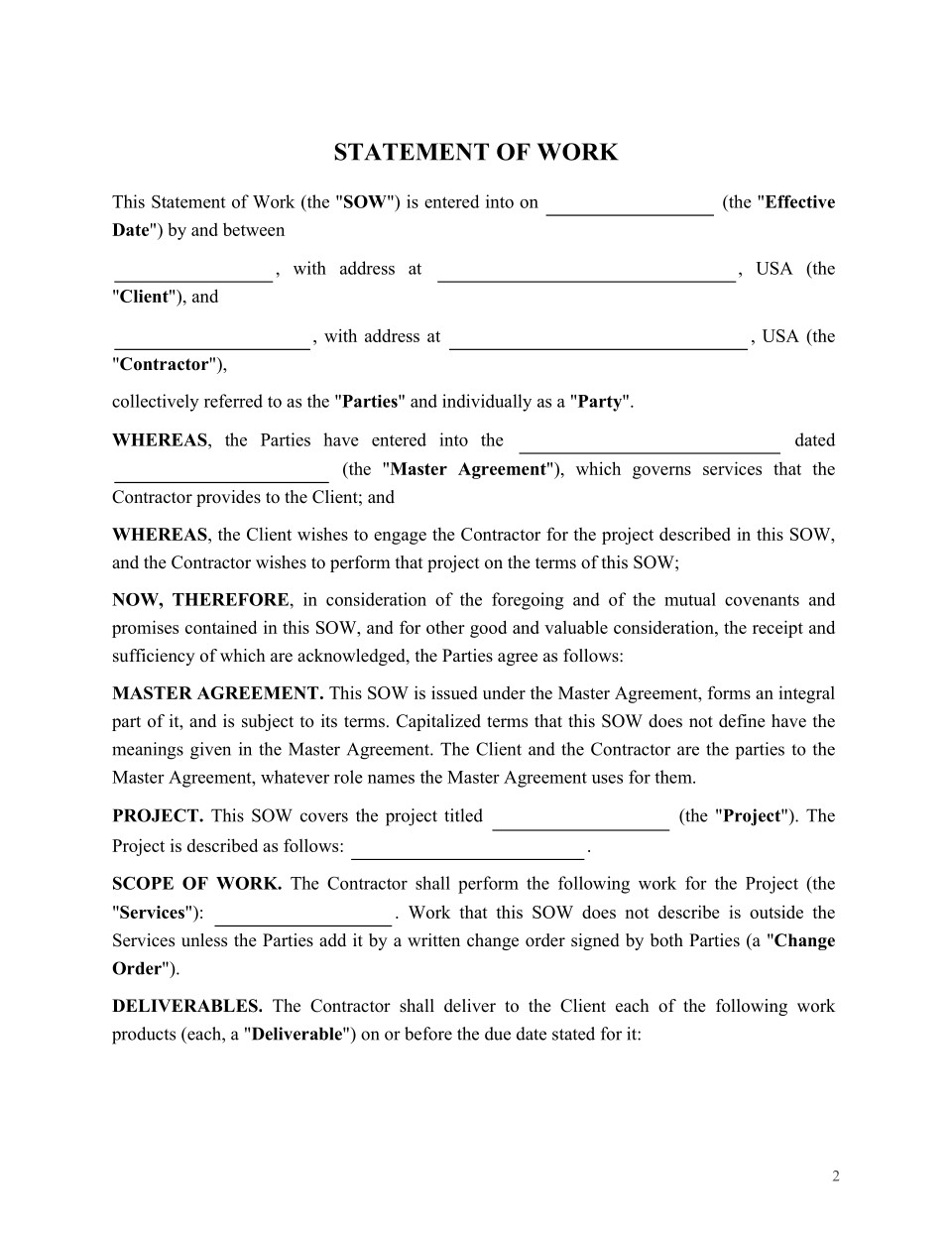
Your agency has agreed on a new project. The price and deadline are settled. But what happens if the client adds deliverables or delays approval of finished work?
A Statement of Work (SOW) defines the project scope, deliverables, schedule, payment, changes, and acceptance criteria so the client and contractor know what they've agreed to. Use this free statement of work template for a project under an existing contract, then customize it and request signatures in Loio.
What Is a Statement of Work and When Should You Use It?
Copy section linkAn SOW describes a particular project's obligations. The SOW is the full document; scope of work is only the section explaining what work is included.
This template calls the underlying agreement the Contract. It may be a master services agreement (MSA), service agreement, or independent contractor agreement. The Contract generally governs the relationship, including confidentiality, IP, liability, and termination; the SOW sets the project's deliverables, deadlines, fees, and acceptance terms.
How does an SOW differ from a service agreement? A service agreement governs the engagement; the SOW specifies one project within it. See MSA vs. SOW.
Choose this SOW contract template based on the situation:
Existing client, new project: Use a new SOW under the current Contract.
First project with a provider: Sign a Service Contract or Independent Contractor Agreement before or alongside the SOW.
Startup commissioning software: A Software Development Agreement can establish development and IP terms; the SOW defines a specific phase.
Agency outsourcing delivery: Pair a Subcontractor Agreement with a scope and acceptance process aligned to your client commitments.
Staffing rather than project delivery: A Staffing Agency Contract may better fit worker placements.
A quote or proposal is for work still being negotiated. To modify a signed SOW, use a change order under its Change management provisions rather than drafting a new SOW.
Not this template as written: it expressly incorporates another Contract. Sign that agreement first or together with the SOW.
What to Check Before Using This SOW Template
Copy section linkBefore completing this SOW, check which document takes priority, who owns the deliverables, and when the agreement becomes effective.
Which document takes priority?
The template's Terms and Conditions say:
"In case of discrepancies, the conditions of this SOW shall prevail."
If the Contract gives itself priority instead, the clauses conflict. Resolve that before signing, for example by limiting SOW priority to project scope, price, and dates while the Contract controls relationship-level terms.
Follow any amendment procedure in the Contract, and enter its exact name and date in the SOW.
Who owns the deliverables?
Paying a development agency doesn't automatically transfer copyright in its code. Copyright generally begins with the author under 17 U.S.C. § 201(a); commissioned works made for hire must satisfy limited categories in § 101, which don't list software as a standalone category. A copyright transfer generally requires a signed writing under § 204(a).
Because this statement of work agreement has no dedicated IP field, check the Contract's assignment or licensing terms. If they're missing, include a properly drafted provision in the SOW's Additional conditions and sign it along with the Contract, or use an IP Assignment Agreement.
Specify which rights are transferred in newly created deliverables, which rights the contractor retains in pre-existing tools, and what licenses the Client needs for third-party components.
When does it take effect?
The SOW has an Effective Date but also says it enters into force when both Parties sign.
If work starts three days before the second party signs, decide which date governs. State in Additional Conditions whether the earlier work is covered, including payment, or align the Effective Date and project start with signing.
Don't leave the dates contradictory.
How to Fill Out a Statement of Work Template
Copy section linkTo write an SOW, identify the parties and project, define measurable deliverables, connect the schedule to payment, set acceptance criteria, and agree on how changes are approved.
What should an SOW include? Party details, the governing Contract, project description, scope and deliverables, responsibilities, schedule, fees, quality standards, acceptance criteria, change process, and any additional conditions.
Here's how to complete this template for statement of work.
Step 1. Identify the parties and project
Enter the Client and Contractor legal names and addresses, Effective Date, Project title, and Project description.
Near the bottom of the template, under Terms and conditions, identify the Contract by its exact title and date. The project description should explain the business goal, not restate the task list.
Step 2. Define scope and deliverables
Complete Scope of work, Name of the product(s) or service(s), Description of the product(s) or service(s), and Contractor's responsibilities. Separate the work's boundaries from its outputs and the contractor's tasks.
Whether you're using a statement of work sample template or starting from scratch, specificity matters:
"Provide website support."
"Build five responsive landing pages using Client-supplied copy; exclude hosting, copywriting, and maintenance."
Put client dependencies, such as access or approvals, in Additional conditions. For deliverable-based services, describe results rather than directing every hour or work method.
A staffing SOW centered on daily supervision can look more like staff augmentation than independently managed delivery. The IRS's behavioral-control guidance considers the real right to direct workers when assessing classification; wording alone isn't decisive.
The Freelance Isn't Free Act requires written contracts for qualifying freelance engagements totaling $800 or more within 120 days. An itemized scope helps, but GBL § 1412 also requires specified party, compensation, and payment details. Check its definitions and exclusions; not every agency engagement qualifies.
Step 3. Match deadlines to payments
Connect Project schedule, Payment amount, and Payment details and other payment terms.
For example, a $12,000 fixed-fee project could use these milestones:
| Milestone | Deadline | Payment |
|---|---|---|
| Design approved | Week 2 | $3,000 |
| Development accepted | Week 6 | $6,000 |
| Final acceptance | Week 8 | $3,000 |
Illustrative schedule and amounts.
Set deadlines and clarify whether each invoice is triggered by delivery, approval, or another event. For time-and-materials work, state rates, billing frequency, expenses, and any spending cap.
Make sure the payment schedule and acceptance process agree.
Step 4. Make acceptance measurable
Quality standards say what the work must meet; Acceptance criteria say how the client checks and approves it.
For instance:
"The Client has five business days to accept each landing page or identify deviations from the approved specification. The Contractor will correct and resubmit confirmed deviations."
Specify the reviewer, review period, correction process, and consequences of silence. Deemed acceptance requires an appropriate agreement; don't assume no response means approval.
For subcontractors, align milestones, acceptance, and payment triggers with the prime contract so upstream and downstream decisions match. Pay-when-paid or pay-if-paid clauses need separate legal review.
Step 5. Control changes
Use Change management to say who requests and approves changes, and how they affect scope, price, and dates.
Example:
"Additional work requires a written request identifying the revised deliverables, fee, and schedule, approved by both Parties before work starts."
A fixed-fee change order prices new work; a time-and-materials change may raise the spending cap.
New York GOL § 15-301 generally enforces qualifying no-oral-modification clauses, subject to narrow exceptions such as qualifying partial performance or estoppel (see Eujoy Realty). California Civil Code § 1698(d) preserves waiver and estoppel principles.
Inconsistent conduct can undermine the rule you wrote.
Use Additional conditions for remaining project-specific dependencies. If confidential details must be shared before the Contract applies, consider a Mutual NDA.
Who Signs a Statement of Work, and Is It Legally Binding?
Copy section linkYes. A signed SOW is generally enforceable when it meets contract-formation requirements and applicable law.
This template has signature blocks for The Client and The Contractor and says it takes effect when the Parties sign. Have an authorized representative of each party sign.
Project leads may review or approve internally without being signatories; a subcontractor generally signs its separate SOW with the agency, not automatically with the end client.
Electronic signing is generally permitted where the relevant requirements are met. The federal ESIGN Act and, in adopting states, the UETA support the legal effect of electronic signatures within their scope.
Use Request eSignatures once both sides approve the final document.
How to Review, Sign, and Manage Your SOW in Loio
Copy section linkInstead of emailing versions and scans back and forth, you can prepare and sign one final SOW in Loio, then keep the signed copy with its governing Contract.
Check the Contract. Use AI Contract Review to surface clauses about precedence, payment, and changes; verify the text yourself.
Prepare the SOW. Select the template, enter the requested project details, and review the completed document. Use the PDF editor for wording changes or to mark proposed changes as redlines before signing.
Request signatures. Set signing order, track status, and send reminders using Request eSignatures.
Keep the record. The signed SOW and its time-stamped audit trail stay in your Loio workspace. The signing history shows when signatures occurred, which isn't automatically the SOW's contractual Effective Date.
Keep the SOW with its Contract and approved change orders. For the next distinct project under the same relationship, prepare another SOW.
Why You Should Trust This Template
Copy section linkDesigned with U.S. contract law principles in mind, this Loio template covers essential project terms, including scope, deliverables, payment, acceptance criteria, and change management. It is intended to work alongside a governing Contract that addresses broader legal obligations.
Note: Contract requirements and enforceability may vary by state. Review this template alongside your governing Contract and applicable state laws, and consult a qualified attorney when necessary.
Related documents
Also read
