Free template
Free Work Order Template
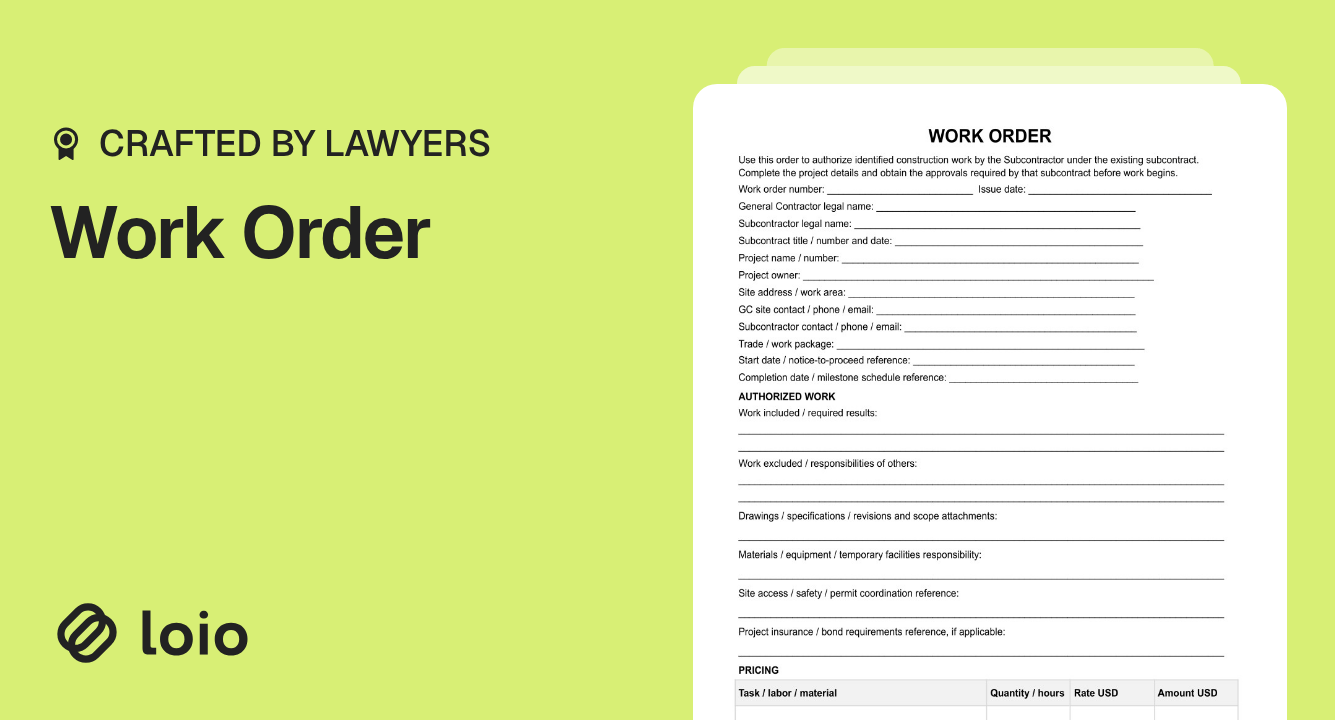
The subcontract is signed, but the drywall crew still needs authorization to start on Level 3. Use this work order template to release a defined construction task, agree on what's included and excluded, and document its completion.
The subcontract sets the rules. The order identifies the specific work being released under those rules — not a new agreement for the whole project.
What Is a Work Order Under a Construction Subcontract?
Copy section linkA work order authorizes a subcontractor to carry out a defined package of work on a specific project. The general contractor (GC) usually prepares it, and the subcontractor reviews it before mobilizing. Many signed subcontracts still require separate releases for particular areas, phases, or dates.
No — not this form. It refers to an existing subcontract and listed project documents, and their agreed order of precedence controls conflicts. Approval of the order doesn't replace the subcontract's requirements for change approval, payment, or dispute resolution.
Which document fits your situation?
| Situation | What to use |
|---|---|
| Same parties, signed subcontract, defined work it already covers | This work order |
| Extra work changes the agreed scope, price, or schedule | The subcontract's change procedure; a Construction Change Order may also be needed and must be adapted for GC–subcontractor use |
| No subcontract yet | A Construction Subcontractor Agreement first |
| Owner hires a contractor directly | A Construction Contract; home improvement rules may differ |
| Recurring maintenance or service call | A service-specific order |
| Materials purchased from a supplier | A Purchase Order |
Purchase order vs. work order: a PO generally purchases goods; this form authorizes construction labor or a work package under a subcontract. Use the document that matches the transaction.
What is not included on a work order?
It doesn't independently establish the project's general warranty, indemnity, termination, or dispute-resolution terms. It also doesn't provide final acceptance, release retainage, waive lien rights, or replace required permits, insurance, and safety plans. Look to the subcontract and separate project records for those matters.
What to Check Before Issuing a Work Order
Copy section linkBefore completing the work order form template, have the signed subcontract, current drawings and specifications, milestone schedule, approved changes, and insurance requirements in hand. Copy the subcontract number and date from the signed copy: a wrong reference can leave the parties arguing over which terms apply.
Check the following before authorizing the crew:
Authority: Does the subcontract allow this project manager, officer, or superintendent to release work? Verify the subcontractor's signatory authority too.
Licensing: Does the subcontractor hold the license required for this trade and location? In California, verify it using the CSLB license lookup. In other states, check the state licensing board.
Coverage: Check that required insurance certificates and bond documents meet the subcontract's requirements before work starts.
Readiness: Confirm site access, permits, preceding trades, and the start date or notice-to-proceed reference.
California's Business and Professions Code § 7031(a)–(b) currently generally bars contractors who weren't duly licensed throughout performance from suing for payment; the party that hired them may recover all compensation paid, subject to statutory exceptions. From January 1, 2027, chaptered SB 342 limits these penalties to unlicensed periods for specified public works, commercial and institutional projects, and certain multifamily or common-interest developments. Recovery for licensed work on covered projects also requires a license at contract execution.
If a reference or approval is missing, confirm it before sending the order.
How to Fill Out the Work Order Form
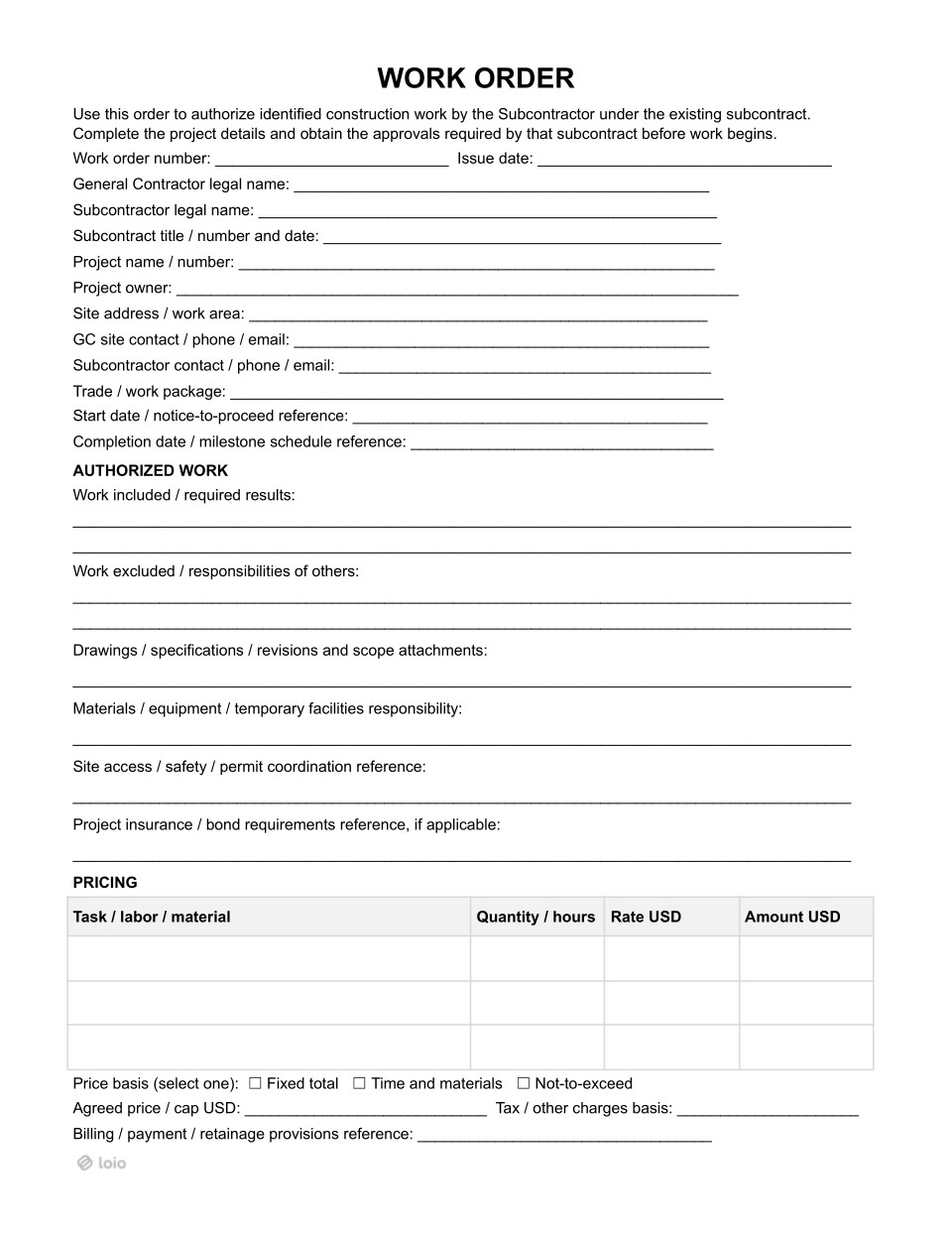
Copy section linkUse the work order form to answer five questions: which project, exactly what work, who supplies what, how it's priced, and when it begins and ends.
1. Identify the project and work package
Enter the order number and issue date; both parties' legal names; subcontract title, number, and date; project name and number; project owner; site address or work area; contacts; and trade. Add the start date or notice-to-proceed reference and completion date or milestone schedule reference. Use dates the subcontract permits rather than inventing new deadlines.
2. Specify included work and exclusions
Write results that can be inspected, not activities that leave room for interpretation.
“Drywall work on Level 3.”
“On Level 3, hang, tape, and finish drywall to a Level 4 finish in units 301–312, under drawings A-301–A-304, Revision 3, dated October 15, 2026.”
In Work excluded / responsibilities of others, name adjacent tasks the subcontractor hasn't priced: electrical patching, final cleaning, or GC-provided hoisting. List drawing sheets, revision dates, and scope attachments. An updated drawing isn't automatically an authorized change; use the subcontract's change procedure.
For larger packages, a Statement of Work can organize detailed deliverables as an attachment, as long as it agrees with the subcontract.
3. Allocate materials, access, and safety
Specify who provides materials, lifts, storage, power, and temporary facilities. Reference site-access rules, permit coordination, and applicable safety plans rather than trying to rewrite them in the order.
Under OSHA's Multi-Employer Citation Policy, a GC with general supervisory authority may be a controlling employer required to exercise reasonable care to prevent and detect hazards. The subcontractor also remains responsible for its own workers.
4. Select the price basis
First, check the pricing method the subcontract allows. Choose according to who bears uncertainty: with a fixed total, the subcontractor generally carries the risk of overruns on defined work; with time and materials, the GC generally bears more quantity risk; a not-to-exceed price limits exposure but requires careful tracking.
| Price basis | What both sides should confirm |
|---|---|
| Fixed total | Exact scope and one agreed price; how approved extras are handled |
| Time and materials | Rates, timesheets, material receipts, and who verifies daily quantities |
| Not-to-exceed (NTE) | Cap, actual-cost records, and when the subcontractor must warn that the cap is near |
Complete Task / labor / material, Quantity / hours, Rate USD, and Amount USD, then Agreed price / cap USD. An NTE cap isn't a promised payment; work above it needs the required approval. Keep timesheets and receipts separately — the order isn't a tracking system.
In Tax / other charges basis, explain whether freight, equipment, fees, and applicable taxes are included. California Regulation 1521 generally treats contractors as consumers of installed materials, but fixtures and some time-and-materials arrangements differ. For example, explicit transfer of material title before installation with separately stated material prices can make the contractor a retailer; CDTFA's guidance also addresses sales-tax billing on T&M contracts. Check your state's rule.
Finally, enter the subcontract reference for billing, payment, and retainage; this order shouldn't renegotiate those provisions.
5. Check controlling documents
Compare the filled order against the subcontract, approved changes, drawing revisions, and schedule. Correct inconsistencies before obtaining approval.
Who Should Sign the Work Order?
Copy section linkThe form provides signature blocks for both parties before work begins, subject to any additional approvals specified in the subcontract.
GC authorization: An authorized GC representative supplies their name, title, signature, and date. A site contact isn't automatically authorized to bind the company.
Subcontractor acceptance: An authorized subcontractor representative signs and dates the agreed release. A crew lead's site acknowledgment may not suffice.
Project owner: Listed for identification, but has no signature block. Separate owner approval may be necessary under the upstream contract or project procedures.
Keep a copy showing both required approvals before mobilization. The form has no additional owner or completion-acceptance signature block.
What Happens After the Work Is Done?
Copy section linkUse the second page's Authorization and Completion Record to enter the actual completion date, Completed by, and the status: Completed, Partially completed, or Not completed. Then describe work performed and any remaining tasks.
For partial completion, write something concrete:
“Units 301–308 finished; units 309–312 awaiting electrical inspection and access.”
This helps determine whether another release or a formal change request is needed.
Completion recorded isn't final acceptance or payment in full. Inspection, punch-list signoff, invoices or pay applications, and release of retainage follow the subcontract. The PDF expressly preserves defect, warranty, and other contract rights.
California requires waivers and releases of lien or payment-bond rights to meet its statutory rules, including signed forms under Civil Code §§ 8124 and 8132–8138. Completion notes aren't a substitute.
Create, Sign, and Reuse Work Orders With Loio
Copy section linkThe usual paper trail can be a PDF emailed around, a tablet signature or its photo sent in a text thread, and no clear final copy when an invoice is disputed months later. In Loio, you can keep the authorization, revisions, signatures, and history organized.
To handle a work order online, prepare it in Loio's PDF editor and request eSignatures by email. Invite the subcontractor to suggest changes in the same draft. You can review scope and exclusion edits using redlines, rather than chasing different email attachments. Set the order of the two signers, and let each sign on-site from a phone. The signed copy has a time-stamped audit trail.
A useful completion workflow: make a separately identified copy of the signed order, then use Loio's PDF editing tools to check the completion-status box, enter remaining-work notes, and insert job-site photos captured on a phone or tablet. Save the completion copy alongside the unchanged signed authorization. This preserves a clear distinction between what was approved and what was later reported.
For the next release, select Use again on the signature request to create a fresh copy. A project-specific work orders template library helps keep release formats consistent across floors and phases without copying old signatures or dates.
Why You Should Trust This Template
Copy section linkThis two-page form addresses the disputes contractors actually face: unclear scope, missing exclusions, disputed pricing, and uncertainty over who authorized work. It ties each release to an existing subcontract and separates the authorization from the completion record. The guidance draws on state licensing and tax authorities and OSHA rather than suggesting one form solves every project obligation.
Disclaimer: This is a general U.S. construction form, not a guarantee of payment or compliance. Licensing, taxes, lien rights, public-project requirements, and subcontract procedures vary by state and project. Review applicable rules and seek local legal advice when needed.
Related Documents
Also Read