Updated August 5, 2026
7 min read
How to Accept ACH Payments from Clients
How to Accept ACH Payments from Clients
- What Are ACH Payments and How Do They Work?
- Why Businesses and Freelancers Accept ACH Payments
- What You Need Before You Can Accept ACH Payments
- How to Set Up ACH Payments for Your Business
- Ways to Accept ACH Payments from Clients
- NACHA Authorization Requirements
- How Long ACH Payments Take and What Can Delay Them
- Common ACH Payment Problems and How to Avoid Them
- Best Practices for Getting Clients to Pay by ACH
- ACH Payments and Client Agreements: What Should Be Documented?
- Make ACH Payments Part of Your Business
Content
Getting paid by ACH can save your businesses money, reduce payment delays, and make it easier to collect large invoices. Instead of relying on paper checks or paying credit card processing fees on every transaction, many freelancers and business owners choose ACH transfers for client payments.
If you've ever wondered how do I accept ACH payments, the process is simpler than you may expect. Most businesses can start accepting ACH payments through their bank or a payment platform in just a few steps.
Below, we explain how ACH payments work, how to set them up, what rules apply, and what you can do to make the payment process easier for both you and your clients.
What Are ACH Payments and How Do They Work?
ACH stands for Automated Clearing House. It is an electronic network that moves money between bank accounts in the United States. When a client pays you through ACH, the money moves directly from their bank account to yours without using a paper check or credit card. A typical ACH payment process includes these steps:
- 1
A business requests payment.
- 2
The client authorizes the transaction.
- 3
The ACH network processes the transfer.
- 4
Funds are deposited into the business bank account.
For example, a consultant sends a $3,000 invoice to a client. The client enters their bank information through a secure payment page and approves the transaction. The payment is then processed through the ACH network and deposited into the consultant's account.
There are two common types of ACH transactions:
ACH credits, where the payer pushes money to another account;
ACH debits, where the recipient pulls money from the payer's account after receiving authorization.
Many recurring subscriptions, utility bills, and membership payments use an ACH debit transaction because it allows businesses to collect payments automatically after the customer gives permission. An ACH payment is essentially a bank account transfer that moves funds electronically between financial institutions.
Why Businesses and Freelancers Accept ACH Payments
Many people starting a business and researching how to accept ACH payments are looking for a payment method that is less expensive and more reliable than credit cards. The set of benefits is quite extensive.
Lower payment processing costs
One of the biggest advantages of ACH is cost. Credit card processing fees often range from 1.5% to 3.5% of each transaction. On a $5,000 invoice, those fees can exceed $100.
ACH fees are usually lower. Many providers charge a flat fee of less than $1 per transaction or a small percentage with a cap. Some platforms charge around 0.8% per transaction and cap fees at a few dollars regardless of payment size. For businesses that regularly receive large payments, those savings can really add up.
Better for large invoices
ACH works especially well when clients are paying substantial amounts for consulting projects, legal services, construction work or B2B services. A client may hesitate to put a $10,000 invoice on a credit card, but sending a bank transfer is often routine.
This is one of the main reasons many companies that accept ACH payments prefer ACH over card payments for larger transactions.
More predictable cash flow
Many payment providers allow scheduled payments, automatic recurring billing, payment reminders, and client account management. When payments happen automatically, there is less risk of missed due dates and fewer follow-up emails.

What You Need Before You Can Accept ACH Payments
Before you start accepting ACH payments, you'll need a few things in place. Most businesses need:
Payment processing solution
Client authorization procedures
Payment documentation
A dedicated business bank account helps separate personal and business finances. This is very important for bookkeeping, taxes, and liability protection.
You will also need a payment service provider or bank that supports ACH processing. Many businesses use platforms that combine ACH payments with invoicing, payment tracking, and recurring billing tools.
Finally, you'll need a way to collect and store authorization from clients before initiating certain ACH transactions.
How to Set Up ACH Payments for Your Business
If you're wondering how can I accept ACH payments, the setup process is usually quite straightforward. Here’s a breakdown of the key steps.
Step 1: Choose an ACH payment provider
You should start by comparing providers. Look at factors such as:
Processing fees
Payment limits
Settlement times
Recurring billing options
Invoice features
Customer support
Some businesses work directly with their bank, while others use third-party payment platforms. If you're researching who accepts ACH payments online, you'll find that many accounting, invoicing, and payment platforms now support ACH transfers.
Step 2: Connect and verify your bank account
After creating an account, you can connect your business bank account. Verification is typically completed through instant bank verification, secure login authentication, or micro-deposits sent to your account.
Micro-deposit verification is a method banks and payment providers use to confirm that you own a bank account. The provider sends one or two very small deposits, usually just a few cents, to your account. You then check your bank statement and enter the exact amounts into the payment platform to verify ownership.
Step 3: Configure payment settings
Next, decide how you want clients to pay. Those can be one-time payments, recurring payments, automatic withdrawals, invoice-based payments, or client portal payments. You may also set payment limits, notification preferences, and approval settings.
Step 4: Test the payment process
Before collecting money from clients, run a test transaction. You should verify that:
Payment requests are delivered correctly
Funds are deposited into the correct account
Payment confirmations are received
Client-facing payment pages work properly
Ways to Accept ACH Payments from Clients
The right option for your business depends on how often you bill clients, how much you charge, and how you typically communicate with customers.
Some businesses send a few invoices each month, while others process recurring payments for dozens or hundreds of customers. Aim to choose a method that fits your workflow and makes paying as easy as possible for clients.
ACH payments through online invoices
For many freelancers, contractors and service businesses, invoicing is the simplest way to accept ACH payments. You create an invoice, send it to the client, and include ACH payment options. The client receives a payment link, enters their banking information, authorizes the transaction, and submits payment online. This method works well for consultants, designers, marketing agencies, accountants, contractors and other professional service providers.
For example, a freelance web designer might send a $2,500 invoice after completing a project. Instead of mailing a check or calling with a credit card number, the client can pay directly from their bank account in a few minutes.
For most small businesses, online invoicing is the easiest answer to the question of how to accept ACH payments online because it combines billing and payment collection in one process.
ACH payment links
Some businesses do not need formal invoices for every transaction. In those situations, ACH payment links can be a convenient alternative. A payment link directs the client to a secure payment page where they can authorize a transfer from their bank account.
These links can be shared through email, text messages, client portals, website checkout pages or customer support conversations.
Payment links are often used when collecting:
Project deposits
Event registration fees
One-time service payments
Outstanding balances
For example, a photographer may send a payment link to collect a 50% deposit before a photo shoot. The client can pay immediately without waiting for a formal invoice. Because there is no paperwork to generate, payment links can help speed up collections for smaller or time-sensitive transactions.
Client portals
Businesses that work with repeat customers often benefit from client portals. A client portal gives customers a dedicated place to manage their account and payment information. Instead of receiving separate payment requests each time, clients can log in and handle everything from one location. Depending on the platform, clients may be able to:
View current invoices
Review past payments
Save bank account information
Update payment methods
Download receipts
Authorize recurring ACH payments
Client portals are particularly useful for businesses that bill customers regularly. They reduce administrative work and eliminate many of the back-and-forth emails associated with payment collection.
Recurring ACH payments
Recurring ACH billing is often the most efficient option when clients pay the same amount on a regular schedule. Instead of requesting payment each month, the client authorizes future withdrawals in advance. Payments are then processed automatically according to the agreed schedule.
Recurring ACH payments are commonly used for monthly retainers, subscription services, membership programs, maintenance agreements, coaching services, or ongoing consulting engagements. For example, a marketing consultant charging a $1,500 monthly retainer can automatically collect payment on the first day of every month rather than sending invoices and reminders manually.
This option offers benefits for both parties, as clients don’t need to remember payment dates, and businesses gain more predictable cash flow.
Before setting up recurring billing, make sure clients clearly understand the payment schedule and provide the required authorization. Keep those records on file to prevent misunderstandings and disputes later.
NACHA Authorization Requirements
Businesses cannot simply withdraw money from a customer's account whenever they want. The ACH network operates under rules established by the National Automated Clearing House Association (NACHA).
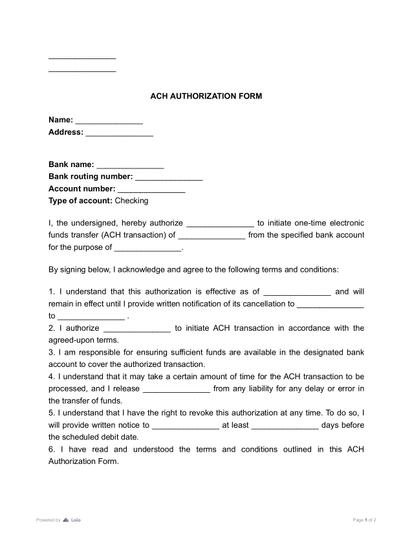
Before initiating an ACH debit, businesses generally need authorization from the client. Authorization may be collected through signed paper forms, electronic forms, online agreements and recorded verbal consent in some situations.
Many businesses use an ACH authorization form template to standardize this process. Authorization records should clearly identify:
The customer
The bank account being used
The payment amount or payment schedule
The customer's consent
If a client disputes a transaction later, authorization records can become very important. Businesses that collect recurring ACH payments often combine authorization language with a service contract so payment terms and consent are documented together.
Many companies also use an online eSign tool to collect signatures electronically and maintain organized records.
How Long ACH Payments Take and What Can Delay Them
Most ACH payments settle within one to three business days. However, certain factors can affect timing. Standard ACH processing typically follows a batch schedule rather than real-time processing. Same-day ACH is available through many providers, but eligibility depends on timing requirements, transaction limits, and provider capabilities. Weekends and federal holidays can also affect settlement times.
Factors that can delay ACH transfers
Incorrect account numbers
Incorrect routing numbers
Bank holidays
Fraud reviews
Account verification issues
Insufficient funds
Provider processing holds
Even a small error in banking information can result in a rejected transaction. For that reason, businesses should verify account details carefully before initiating transfers.
Common ACH Payment Problems and How to Avoid Them
Most ACH transactions process successfully, but problems can still occur. Let’s see some of the most common issues businesses and freelancers usually run into.
Incorrect banking information
Mistyped routing or account numbers are among the most common causes of failed payments. You should always verify information before processing transactions. Many providers also offer account verification tools that reduce data-entry mistakes.
Insufficient funds
A client may authorize payment but simply not have enough money available when processing occurs. This often results in a returned transaction. Automated reminders can help clients prepare for upcoming withdrawals.
Unauthorized transaction claims
Clients may occasionally dispute ACH transactions. To reduce risk:
Obtain proper authorization
Store authorization records
Keep signed agreements
Maintain payment records
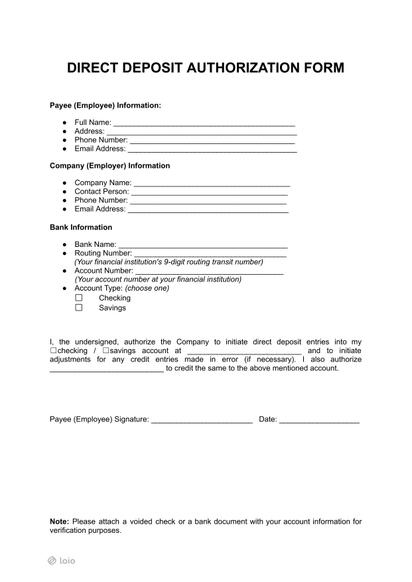
A completed direct deposit form or authorization document may help establish account ownership and payment instructions.
Fraud and security risks
Businesses should never collect sensitive banking information through unsecured channels. Use reputable providers that offer encryption, fraud monitoring, account verification, and secure payment pages.
Best Practices for Getting Clients to Pay by ACH
Clients are usually more willing to use ACH if the process is simple. A few small changes can improve adoption rates.
Offer ACH as an option on every invoice. Some clients simply do not know ACH is available unless it is presented clearly.
Explain the benefits. ACH payments often eliminate the need for paper checks and can be easier than calling in a credit card number.
Provide clear payment instructions. Clients should understand exactly how to submit payment and what information is required.
Send payment reminders before due dates. Automated reminders can reduce late payments significantly.
Keep authorization forms organized and easy to access.
Businesses that regularly collect ACH payments should also review payment terms periodically and update documents when procedures change.
ACH Payments and Client Agreements: What Should Be Documented?
Clear documentation can prevent many payment disputes. Every client agreement should explain:
Payment amounts
Payment deadlines
Accepted payment methods
Late payment policies
Refund terms when applicable
Recurring payment schedules
If ACH payments are used, include authorization language that explains how payments will be collected. For recurring billing arrangements, specify payment frequency, start date, end date if applicable, and cancellation procedures. Businesses often maintain these records alongside invoices and payment confirmations.
If contracts contain complicated payment language, an AI Contract Review tool can help identify important clauses before agreements are finalized.
Many businesses also prefer to edit PDFs online when updating payment terms, authorization forms, or client agreements rather than managing multiple paper versions. This can also speed up the process significantly.
Make ACH Payments Part of Your Business
Learning how to accept ACH payments can help your business reduce processing costs, simplify collections, and improve cash flow. If you're still wondering how to set up to receive ACH payments, start with a business bank account, choose a provider that fits your needs, establish a clear authorization process, and document payment terms carefully. The easier you make the process for clients, the more likely they are to choose ACH as their preferred payment method.
Collecting ACH payments from clients can become one of the most reliable ways for you to get paid consistently while significantly reducing the associated costs.
More guides
September 1
7 min read
How to Provide Proof of Employment: Documents and Steps
July 22
4 min read
Income Statement vs Profit and Loss Statement: Is There a Difference?
July 25
11 min read
Charitable Donations Tax Deduction: Eligibility, Limits, and Records
July 26
12 min read
How to Read a Profit and Loss Statement
September 1
6 min read
Different Types of 1099: Who and When Files Them
August 27
4 min read
Forms W4 vs W2 vs 1099: What’s The Difference?
One home for your
agreements
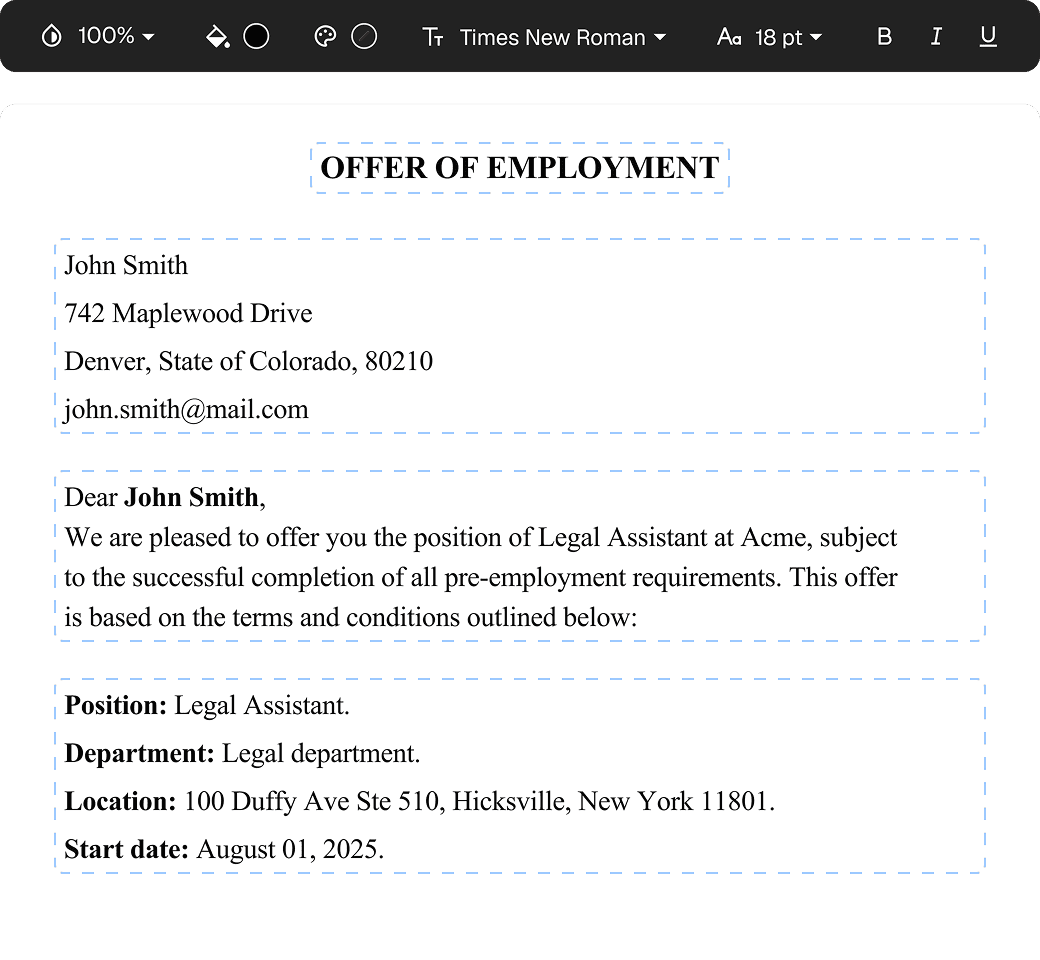
Edit PDFs seamlessly
Tweak agreements before signing or sending for signatures. Update details, add or remove clauses, adjust formatting, and redline changes instantly.
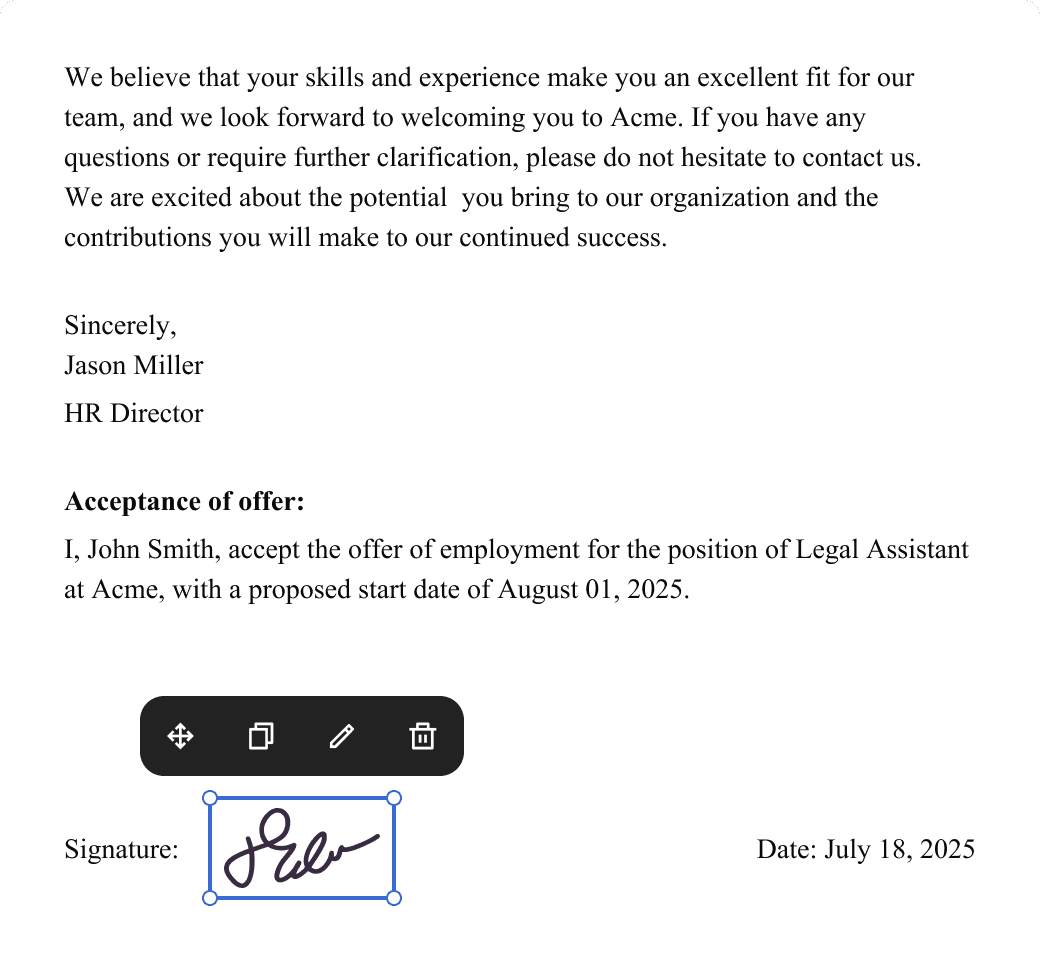
eSign legally and securely
Sign documents and collect legally binding signatures. Invite up to ten people to sign in any order, track the progress, and send reminders.
Request legally binding signatures
Invite up to ten people to sign your document in any order. Get a finalized, audit-ready copy without chasing signatures.
Skip the drafting.
Choose from 2,500+ templates
Browse templatesChoose a template
Fill in details
Sign and download