Free template
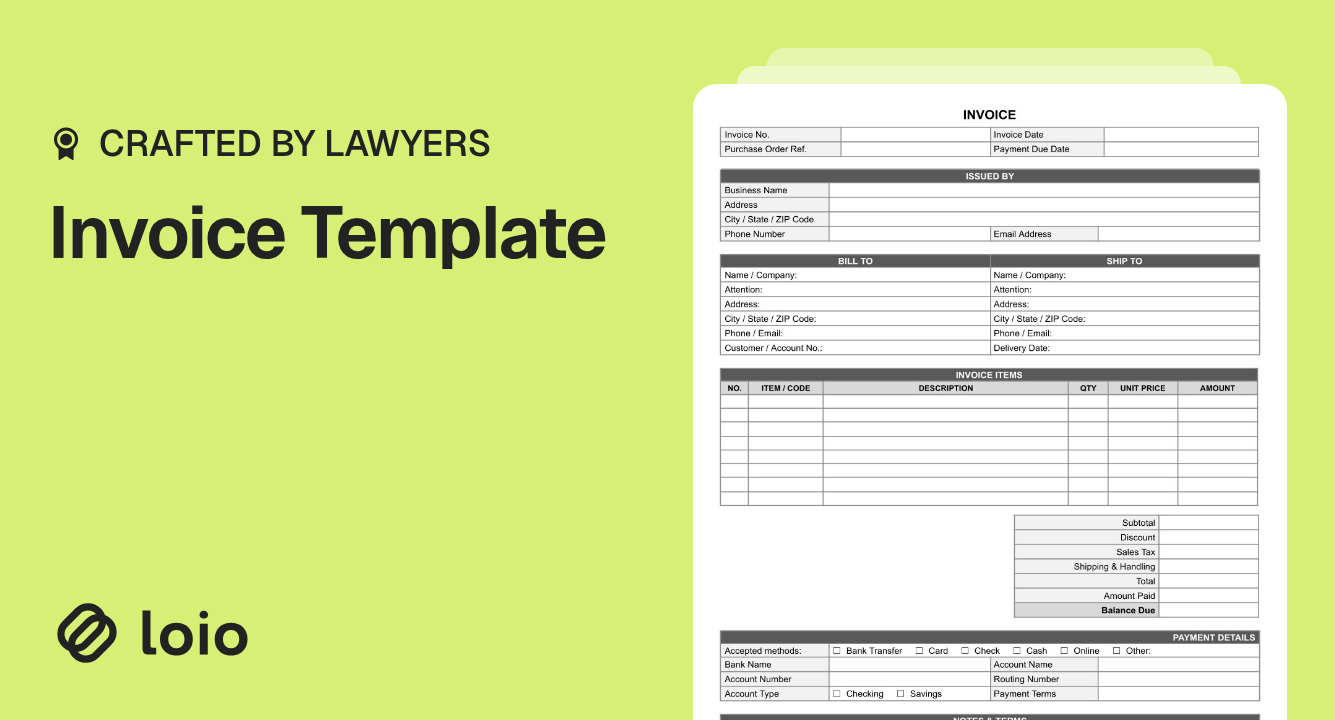
Free Invoice Template
Your client may agree with every charge and still hold payment because the PO number is missing, the billing period is unclear, or the due date conflicts with your agreement.
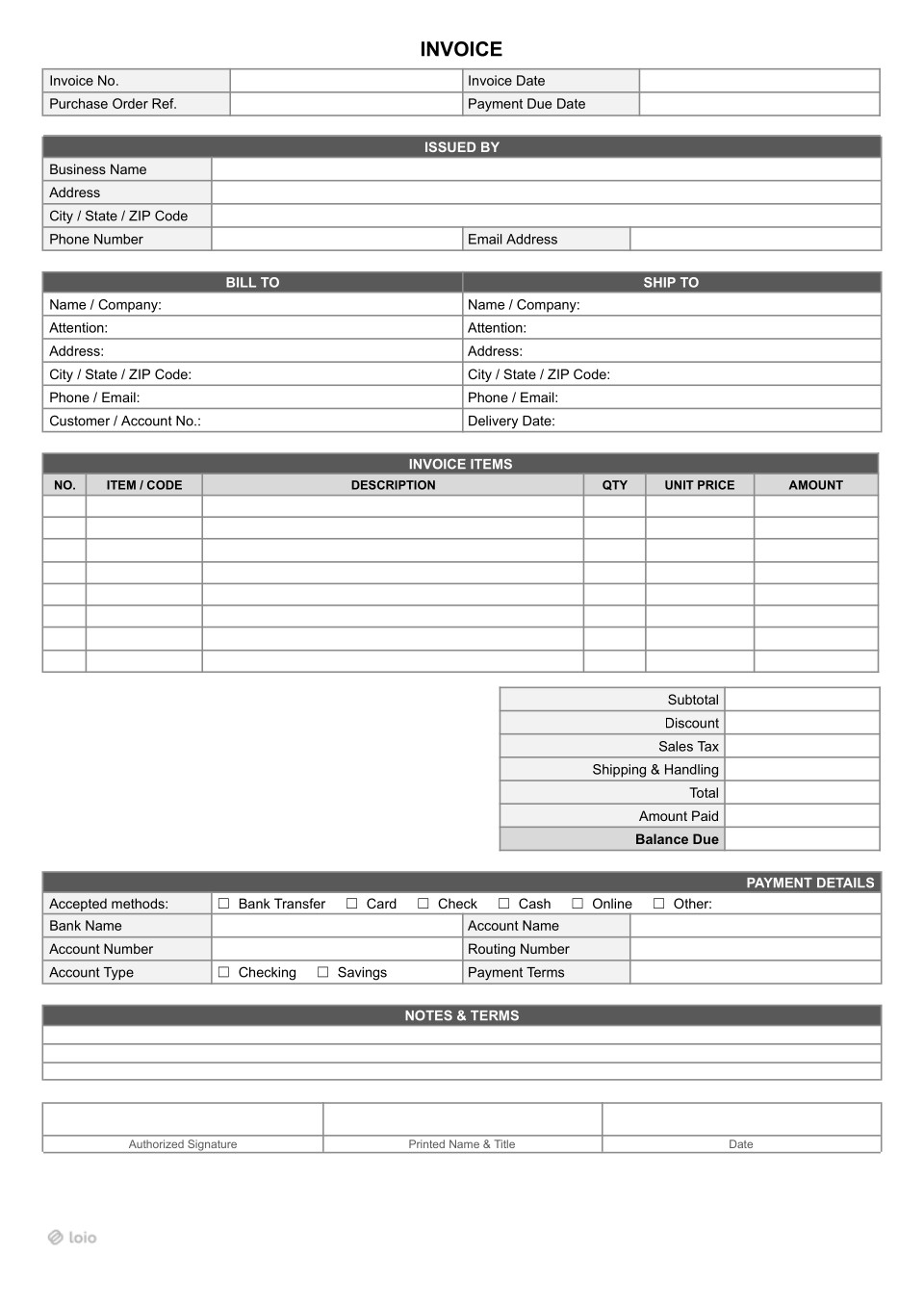
Use this free invoice template to itemize goods or services, record payments already received, and show the balance due. This fillable invoice template PDF works for one-time or recurring billing.
When Should You Use This Invoice Template?
Copy section linkUse this basic invoice template when you need to request payment under an agreed order, project, or ongoing service arrangement. Anyone entitled to bill for a transaction can generally issue an invoice, subject to client and tax requirements.
| Situation | What to enter | What the form doesn't replace |
|---|---|---|
| Staffing agency, weekly billing | Hours and agreed bill rates by worker or role; overtime on its own line; week ending in DESCRIPTION. | Approved timesheets and the client services agreement. |
| Freelancer, project with a deposit | Issue a deposit invoice first. On the final invoice, put the deposit in Amount Paid and show what remains in Balance Due. | The project agreement and a receipt acknowledging the deposit. |
| Seller shipping goods | Item quantities, Ship To, Delivery Date, and Shipping & Handling. | Delivery records and applicable tax calculations. |
| Lawyer billing a client | Matter, billing period, hourly work or flat fees. | Detailed time entries and any required e-billing format, such as LEDES. |
| Subcontractor, completed job | Completed scope and agreed price. | Progress-payment applications, retainage calculations, and lien waivers when required. |
The template has only eight item rows and no retainage field, so complex staffing or construction billing may require additional documents. Federal invoices may also need extra information or electronic submission under FAR 32.905(b).
Wrong document? If you're still discussing prices or terms, use a Quote or Estimate instead of an invoice. Once payment is received, issue a Cash Receipt for cash payments or another appropriate payment receipt. To summarize several outstanding invoices, prepare a Statement of Account. For construction progress payments, use the general contractor's Payment Application to document completed work, retainage, and the amount requested.
Is an Invoice Form Legally Binding?
Copy section linkNot by itself. An invoice is generally a request for payment, not a contract. The obligation to pay usually comes from an existing agreement, accepted quote, purchase order, or the parties' conduct. However, an invoice may serve as evidence of agreed terms and, in certain circumstances, become part of a binding contract.
Does sending an invoice create the obligation to pay?
An invoice requests payment; it ordinarily doesn't create the underlying deal. Payment obligations generally arise from an agreement, accepted quote or order, or the parties' conduct.
For example, if your staffing client accepted a $48 hourly bill rate, changing it to $60 on the invoice doesn't automatically change the agreement. Keep time approvals and the agreed rate schedule.
Can you add late fees in Notes & Terms?
Not automatically. For goods, UCC § 2-207 addresses additional terms in certain commercial confirmations. Between merchants, some proposed terms may become part of the contract unless they materially alter the contract or the buyer objects. In Southwest Concrete Products v. Gosh Construction Corp., the California Supreme Court agreed that a late-charge provision printed on invoices became part of a goods contract under California's version of § 2-207. That isn't permission to impose any new charge unilaterally.
For nonmerchant buyers, added terms remain proposals until accepted. Article 2 doesn't cover staffing or legal services. Agree on payment deadlines and late charges before billing; use Payment Terms and Notes & Terms to specify them. Applicable state law may limit charges.
Who must or might sign the invoice?
An ordinary invoice generally needs no signature from either side to be issued or paid. This template has an Authorized Signature, Printed Name & Title, and Date for the person issuing the bill on behalf of the business. It has no separate customer signature block.
A client may acknowledge hours or confirm a sum if required. That acknowledgment doesn't create the underlying deal.
An issued invoice is also a business record. The IRS explains its record-retention rules: records supporting income generally must be kept for three years, with longer periods in specified cases.
How to Fill Out an Invoice Template
Copy section linkThis blank invoice template is already fillable: type into its fields. Before sending, check that the invoice includes:
The issuer and customer (Issued By and Bill To).
Invoice No., Invoice Date, and Payment Due Date.
What was supplied, the quantity or service period, and agreed price.
Applicable charges, payments received, and Balance Due.
Payment instructions and any client-required PO or account reference.
Missing a Purchase Order Ref. or Customer / Account No. can delay invoice processing and payment.
1. Identify the invoice and customer
Enter a unique Invoice No. and Invoice Date. Don't reuse invoice numbers: the client's billing department may flag duplicate numbers and delay payment. Complete Issued By with your business details and Bill To with the customer's legal name and billing address. In Attention, enter the name or department responsible for processing the invoice, such as Accounts Payable (AP). Add Customer / Account No. if supplied.
2. Add order and delivery details
If your client issued a PO, copy its identifier into Purchase Order Ref. AP may hold the invoice without it, even when charges are undisputed. For shipped goods, complete Ship To and Delivery Date. For staffing or consulting, Ship To can normally stay blank.
3. List each item or service
Under Invoice Items, use ITEM / CODE, DESCRIPTION, QTY, UNIT PRICE, and AMOUNT. Clarify whether QTY means hours, units, or deliverables. Separate regular and overtime hours.
Invoice example — staffing agency, week ending October 4:
| DESCRIPTION | QTY | UNIT PRICE | AMOUNT |
|---|---|---|---|
| Regular staffing hours | 40 hours | $48 | $1,920 |
| Overtime staffing hours | 5 hours | $72 | $360 |
| Subtotal | $2,280 | ||
| Total | $2,280 | ||
| Amount Paid | $280 | ||
| Balance Due | $2,000 |
Assumes no tax, shipping, or discount.
4. Work out the totals
From Subtotal, subtract Discount, then add applicable Sales Tax and Shipping & Handling for Total. Deduct Amount Paid to get Balance Due. Check the math manually: the PDF doesn't calculate these fields for you.
5. Set the due date and payment method
Match Payment Due Date to Payment Terms and the underlying agreement. If Net 30 runs from an October 1 Invoice Date, the due date is October 31. If the agreement instead counts from receipt or approval, follow it. Conflicting dates can give the client a reason to pay on the later date or send the bill back for correction.
Choose accepted methods in Payment Details. If offering a bank transfer, fill in Bank Name, Account Name, Account Number, Routing Number, and Account Type as appropriate.
6. Review, sign if needed, and send
Check names, rates, PO reference, billing dates, totals, and bank details. Add agreed references or instructions in Notes & Terms. If needed, have the issuer complete Authorized Signature; customer sign-off isn't normally required.
Should an invoice be PDF or Word? Word can be convenient while drafting, but a PDF usually preserves the final layout better when shared with AP. This fillable invoice form lets you type in the fields without a Word-to-PDF conversion.
How to Avoid Common Invoice Mistakes
Copy section linkDon't give away an early-payment discount upfront. A discount reduces the billed price immediately. 2/10 Net 30 is different: it offers 2% off if the customer pays within ten days; otherwise, the full amount is due in 30 days. Put that conditional incentive in Payment Terms. Entering it in Discount bills the reduced price regardless of when the client pays.
Don't assume shipping is outside sales tax. The form places Shipping & Handling below Sales Tax, but layout doesn't determine taxability. In Texas, the sales price of taxable items includes shipping and handling charges. California rules generally exclude separately stated qualifying common-carrier or U.S. mail delivery charges no higher than actual cost, but handling can be taxable. Check the state and transaction: sellers may still owe uncollected sales tax, plus penalties and interest.
Don't accept changed bank details by email alone. Fraudsters imitate invoices and “updated account” emails. Misrouted payments can be difficult or impossible to recover. Tell customers bank details never change by email alone; as a payer, verify any change using a known phone number. See the FBI's business email compromise guidance.
What Other Documents Go With an Invoice?
Copy section linkFor recurring staffing or consulting, agree on rates, overtime, approvals, and deadlines in a Service Contract. A Statement of Work defines project milestones; approved timesheets support weekly charges.
For goods, reference the buyer's Purchase Order. A Sales Contract can set delivery and payment terms before shipment.
For construction, a Subcontractor Agreement sets your job terms and a Change Order records approved extra work before you bill it. Progress payments may need pay applications and lien waivers.
For lawyers, the signed fee arrangement and billing records matter beyond the invoice itself. Under ABA Model Rule 1.15(c), advance fees and expenses generally belong in a client trust account until earned or incurred, subject to jurisdictional rules. Use the appropriate account for the payment being requested.
How to Edit and Send an Invoice in Loio
Copy section linkA typical invoicing workflow involves downloading a template, editing it in Word, exporting it to PDF, and emailing it to the client. If the client disputes a charge, you may end up exchanging multiple revised versions by email, making it harder to track the final agreed amount. With Loio, you can fill out the PDF and keep the current version in your account.
Fill out the template, save it in your Loio account, and use Edit PDF to revise text or mark proposed changes. If a staffing client questions five billed hours, you can redline the proposed correction directly in the PDF, agree on the final figure with the client, and update the working document rather than passing around several Word versions.
When an acknowledgment is appropriate, add the necessary signer fields and send the invoice for eSignature from Loio. You can choose a signing order and, on eligible plans, invite up to ten signers — for example, a site manager before an AP approver. Reuse a prepared document or signature request next week.
The signed copy stays in the account with an audit trail showing time-stamped events such as sending, opening, and signing when they occur. If a client claims it never arrived, this history can help establish what happened.
Why You Should Trust This Template
Copy section linkA reliable invoice should do more than look professional. This template helps you document charges clearly, match them to customer orders, track partial payments, and avoid common billing mistakes. It includes essential fields such as Purchase Order Ref., Payment Terms, Amount Paid, and Balance Due, making it easier for both parties to review what's owed.
The accompanying guidance draws on authoritative sources, including the UCC, state tax authorities, and federal invoicing rules. It also explains when additional documents or specialized billing procedures may be necessary.
Disclaimer: This is a general-purpose U.S. invoice template, not legal, tax, or accounting advice. Requirements may vary by state, industry, and transaction. Review your agreement and applicable state laws before use, and consult a qualified professional when necessary. Neither the template nor an eSignature guarantees payment.
Related Documents
Also Read